10 Business Processes You Should Automate With AI in 2026
Discover 10 business processes you can automate with AI in 2026, from customer support to reporting, and learn how to choose the right AI partner.
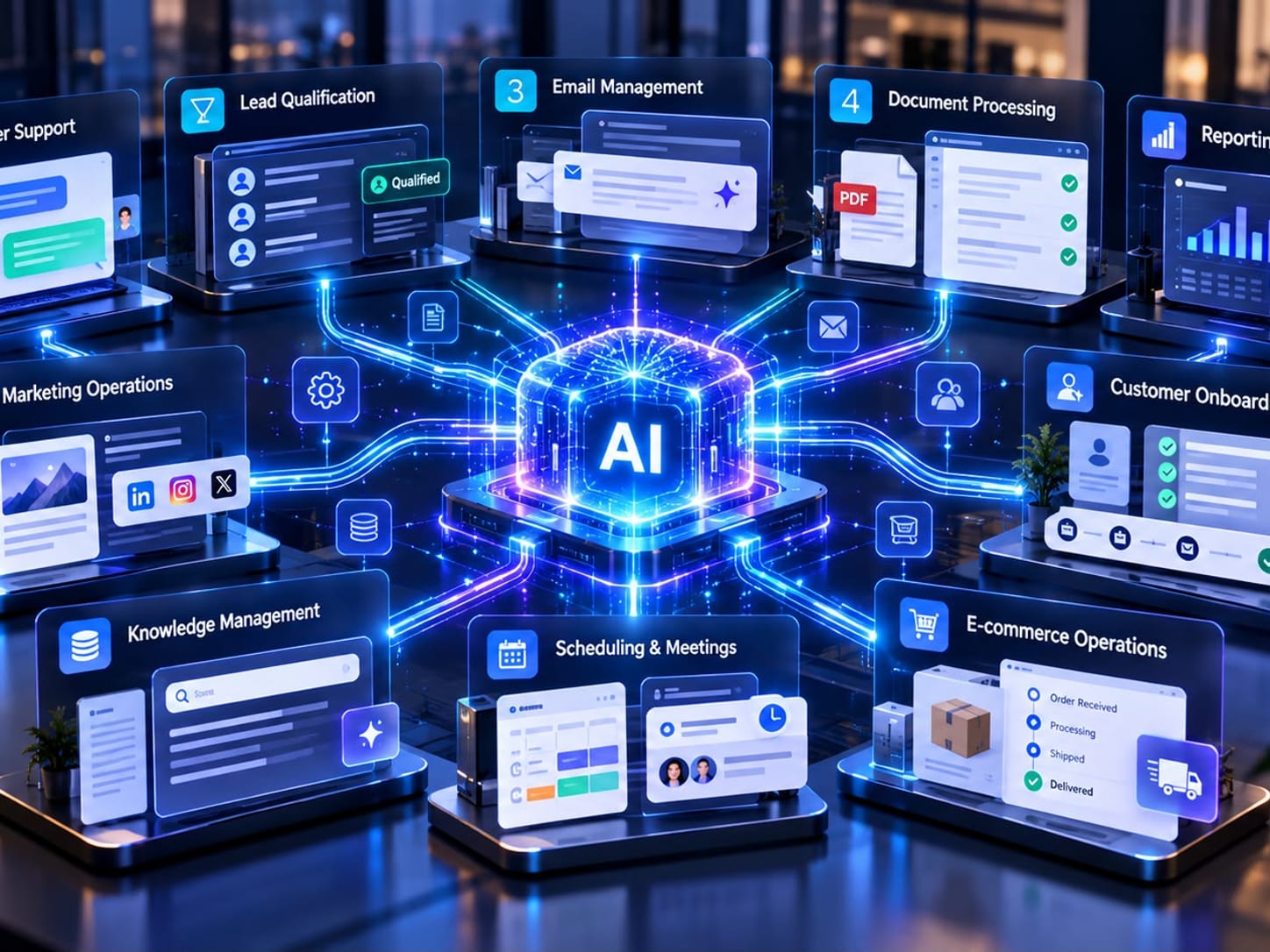
Every business runs on a hundred small tasks: answering the same customer questions, moving data between systems, chasing leads, preparing the weekly report. The work is necessary — but a growing share of it no longer needs a human doing it by hand.
AI automation helps teams streamline repetitive work, connect disconnected tools, and turn scattered information into something useful. The goal isn't to automate everything. It's to pick the right processes, apply AI where it genuinely adds value, and keep people in control wherever judgment, accountability, or sensitive decisions matter.
Not every task needs the same kind of AI, either. Some are best handled by workflow automation, while others benefit from AI agents that can interpret a request and act within defined limits. This guide walks through 10 business processes worth automating with AI in 2026 — how each one works, what to automate first, and how to decide where to start.
What Is AI Automation in Business?
AI automation combines artificial intelligence with workflows, business rules, and software integrations to perform or support tasks that would otherwise require manual effort. Depending on the use case, it can classify information, extract data, generate drafts, answer questions from approved sources, summarise records, or route work to the right person or system.
Traditional automation is best for predictable, rule-based steps. AI adds value when the inputs are unstructured or need interpretation — emails, documents, or natural-language requests. In practice, the most reliable solutions combine both, with validation and human review where it counts.
1. Customer Support and Ticket Management
Support teams field the same questions about products, orders, billing, account access, and troubleshooting over and over. AI can classify incoming requests, suggest answers from approved knowledge sources, summarise long conversations, and route complex cases to the right team.
Example: An incoming message is classified by topic and urgency, matched with relevant help-centre content, and assigned to the right queue — while a human agent reviews anything sensitive or uncertain.
What to automate first: Start with ticket categorisation, response suggestions, and routing before you let AI send automated replies for more complex cases.
Relevant expertise: Customer-service automation, help-desk integrations, knowledge retrieval, and escalation design — often delivered with AI support agents.
2. Lead Qualification and Sales Routing
Sales teams spend real time reviewing enquiries, checking fit, enriching records, and assigning leads. AI can summarise inbound requests, classify intent, extract the relevant details, and recommend a routing path based on your criteria.
Example: A website enquiry is summarised, its key requirements are extracted, and the lead is routed to the team responsible for that product or region.
What to automate first: Begin with summarisation and routing recommendations. Keep qualification criteria transparent and let sales staff review the important calls.
Relevant expertise: CRM integration, lead scoring, sales operations, and data enrichment.
3. Email Management and Follow-Ups
High-volume inboxes create delays and make important messages easy to miss. AI can categorise emails, draft replies, flag action items, and prepare follow-up reminders.
Example: A supplier email is labelled, its requested delivery date is extracted, and a draft task is created for the responsible employee.
What to automate first: Automate classification and drafting first. Require approval before sending anything that makes a commitment, touches a sensitive topic, or changes customer records.
Relevant expertise: Email workflow automation, business-rule design, and integrations with CRM or project-management systems.
4. Document Processing and Data Entry
Invoices, forms, contracts, applications, and purchase orders are full of information employees have to retype from one system into another. AI-assisted document processing can extract fields, classify documents, and flag anything missing or inconsistent.
Example: An invoice is read, the supplier and amount fields are extracted, and the values are checked against purchase-order data before going for approval.
What to automate first: Start with a limited set of document types and validate extracted values against business rules. Keep approval controls for payments and legally significant records.
Relevant expertise: Intelligent document processing, OCR, validation, and finance-system integration.
5. Reporting and Business Intelligence
Teams can lose hours pulling figures from spreadsheets, CRM systems, support platforms, and analytics tools. AI can help consolidate approved data, summarise what changed, explain patterns, and draft recurring reports — a natural fit for reporting and workflow automation.
Example: A weekly report highlights changes in lead volume, ticket backlog, and sales pipeline, with links back to the underlying dashboards.
What to automate first: Establish trusted data definitions and permissions first. Treat AI-generated explanations as drafts and verify the numbers against source systems.
Relevant expertise: Data integration, analytics engineering, reporting automation, and governance.
6. Marketing Content and Campaign Operations
Marketing workflows cover research, briefing, content repurposing, campaign tagging, performance summaries, and scheduling. AI can support drafts and repetitive operations while people stay responsible for strategy, brand voice, and factual review.
Example: An approved webinar transcript is turned into a first-draft blog outline, an email summary, and a set of social-post variations for an editor to review.
What to automate first: Automate repetitive preparation and repurposing — not unchecked mass publishing. Review accuracy, originality, rights, and brand consistency.
Relevant expertise: Marketing operations, content workflows, analytics integration, and brand governance.
7. Customer Onboarding
New customers often need account setup, welcome messages, document collection, training resources, and internal handoffs. AI can guide users through the standard steps, answer common questions from approved material, and spot missing information.
Example: After a customer signs up, a workflow sends the right setup instructions, tracks completion, and alerts an employee when a blocker needs attention.
What to automate first: Map the onboarding journey and ownership first. Keep a clear escalation path for unusual requirements or frustrated customers.
Relevant expertise: Customer-success automation, CRM integrations, and onboarding workflow design.
8. Internal Knowledge Management
Employees lose a surprising amount of time searching documents, policies, project notes, and internal systems. AI-powered search or internal AI assistants can retrieve relevant information from authorised sources and summarise it with links to the original material.
Example: An employee asks how to request a purchase. The assistant returns the current policy and the official form — rather than generating an unsupported answer.
What to automate first: Start with a small, well-maintained knowledge collection. Enforce permissions, show source references, and give people a way to report outdated or incorrect answers.
Relevant expertise: Retrieval-augmented generation (RAG), enterprise search, access control, and knowledge governance.
9. Appointment Scheduling and Meeting Administration
Scheduling usually means finding availability, sending reminders, preparing agendas, and documenting next steps. AI can coordinate routine scheduling, summarise meetings, and turn agreed actions into draft tasks.
Example: After a meeting, a workflow prepares a summary and action-item list for attendees to confirm before any tasks are created.
What to automate first: Set clear calendar permissions and consent rules. Require review before distributing sensitive notes or assigning consequential actions.
Relevant expertise: Calendar integrations, meeting assistants, workflow orchestration, and privacy controls.
10. E-commerce Operations and Order Management
Online stores juggle order questions, returns, product information, stock updates, and delivery issues. AI can classify customer requests, retrieve order status, draft responses, and route exceptions to staff.
Example: A customer asks about a delayed order. The system retrieves tracking information, drafts an accurate status update, and escalates the case if the shipment is flagged.
What to automate first: Start with read-only status lookups and response drafts. Apply explicit rules and human approval to refunds, cancellations, and inventory changes.
Relevant expertise: E-commerce integrations, order-management systems, customer support, and exception handling.
How to Choose the Right AI Automation Project
Not every process should be automated immediately. Evaluate each candidate against a consistent framework:
- Business impact: Will it reduce delays, improve service, increase consistency, or free capacity for higher-value work?
- Frequency and volume: Does the task happen often enough to justify building and maintaining it?
- Data readiness: Are the required records accessible, reliable, and properly governed?
- Process clarity: Can the steps, exceptions, and decision rules actually be described?
- Risk and oversight: What happens if the system gets it wrong, and where must a person review or approve the outcome?
A simple way to prioritise your first candidates:
| Candidate | Why consider it | Check before automating |
|---|---|---|
| Ticket categorisation | Repeated, structured requests | Escalation rules and knowledge quality |
| Lead routing | Clear ownership rules | CRM data and transparent criteria |
| Document extraction | Manual field transfer | Validation and approval controls |
| Recurring reports | Repetitive data assembly | Trusted metrics and source access |
If you're weighing an in-house build against outside help, the answer depends on your team's skills, capacity, and appetite for ongoing maintenance. An agency can be a better fit when you need specialist experience, integration support, or a faster path to a tested implementation. Either way, compare total cost, security, data ownership, documentation, and support — and ask for relevant examples and a clearly scoped pilot before committing. Our guide on how to choose the right AI automation agency walks through this in detail.
How AI Partners Hub Can Help You Find the Right Expertise
Choosing an AI solution isn't just about picking a tool. It's about finding expertise that fits your workflow, your existing systems, your budget, your security requirements, and your long-term goals. AI Partners Hub helps businesses explore AI solution providers and identify potential partners for automation, AI agents, and related implementation needs.
Final Thoughts: Start Small, Measure, Then Scale
The strongest AI automation projects start with a clearly defined problem, not a technology trend. Choose a process with repeatable steps and measurable outcomes, establish a baseline, test the solution with appropriate human oversight, and review quality before you expand. Track the outcomes that matter to your business — processing time, error rates, service quality, employee capacity — and let the evidence guide your next step.
Frequently Asked Questions
What business processes can be automated with AI?
Businesses can use AI to support customer service, lead qualification, email management, document processing, reporting, marketing operations, customer onboarding, internal knowledge search, scheduling, and e-commerce operations. The best starting point depends on task frequency, business impact, data quality, and the level of risk involved.
How do I know if a business process is ready for AI automation?
Look for a repetitive process with clear inputs, predictable steps, measurable outcomes, and accessible data. Start with a limited pilot, define success metrics, and keep human review for sensitive or high-impact decisions.
Is AI automation suitable for small businesses?
Yes. Small businesses can begin with focused use cases such as classifying incoming enquiries, drafting routine replies, extracting information from documents, or summarising reports. Start with one well-defined workflow before expanding.
Should I hire an AI automation agency or build in-house?
Building in-house can suit teams with the technical skills, capacity, and maintenance resources to support the solution. An agency may be a better fit when you need specialist expertise, faster implementation, or integration experience. Compare total cost, security, ownership, support, and long-term flexibility before deciding.
How can I find an AI automation partner?
Define the workflow you want to improve, list your integration and security requirements, and compare providers on relevant experience, implementation approach, support, and evidence of results. AI Partners Hub helps businesses explore AI solution providers and identify expertise aligned with their needs.
Ready to Automate Your Business Processes?
Finding the right AI solution starts with understanding your business needs. Whether you want to streamline customer support, automate repetitive workflows, or build AI-powered agents, the right implementation partner turns ideas into practical results.
Get matched with the right AI partner — free for businesses — or explore the directory. Run an AI agency? List your agency and get discovered when businesses look for automation expertise.